Modern Xbox games demand massive amounts of storage space. Understanding how much room your favorite titles require can help you manage your console’s storage effectively. This guide examines the storage requirements of recently released Xbox games and provides practical installation tips.
Understanding Xbox Storage Challenges
Xbox consoles come with limited internal storage. The Xbox Series S includes 512GB of storage, while the Series X offers 1TB. However, the actual usable space is considerably less due to system files and operating system requirements.
Therefore, many gamers face storage limitations quickly. A single AAA game can consume over 100GB of space. Managing your game library becomes essential for maintaining a smooth gaming experience.
Recent Xbox Game Storage Requirements
Call of Duty: Modern Warfare III
This popular shooter requires approximately 149GB of storage space. Additionally, the game receives frequent updates that can add several gigabytes each month. Players should reserve extra space for seasonal content and patches.
Starfield
Bethesda’s space exploration RPG needs around 125GB of storage. The game’s vast universe and detailed textures contribute to its substantial file size. However, this requirement may increase with future downloadable content and expansions.
Baldur’s Gate 3
This critically acclaimed RPG requires approximately 150GB of storage space. The game features extensive voice acting, cinematics, and branching storylines that explain its large footprint. Moreover, players report that the actual download size can vary slightly depending on region and language packs.
Diablo IV
Blizzard’s action RPG demands about 90GB of storage. This size includes the base game and initial updates. Nevertheless, seasonal content additions mean players should plan for growth over time.
Forza Motorsport
The latest racing simulation from Turn 10 Studios requires roughly 132GB of storage. The game’s photorealistic graphics and extensive car collection justify this substantial requirement. Furthermore, car packs and track additions will increase this number.
Cyberpunk 2077: Phantom Liberty
The base game combined with the Phantom Liberty expansion needs approximately 105GB. CD Projekt Red’s futuristic RPG delivers stunning visuals that demand significant storage space. Additionally, the game has received numerous patches improving performance and adding features.
Storage Size Comparison Chart
When comparing recent releases, several patterns emerge. Most AAA titles now exceed 100GB, with some approaching or surpassing 150GB. Indie games and smaller titles typically range from 5GB to 30GB.
Consequently, your 1TB Xbox Series X can hold roughly six to ten major AAA titles. The situation becomes more challenging on the Series S. Therefore, strategic storage management becomes crucial for all Xbox owners.
Essential Installation Tips
Prioritize Your Most Played Games
Keep frequently played games on your internal SSD. The internal storage offers the fastest loading times and best performance. Meanwhile, less frequently played titles can reside on external storage.
Utilize External Storage Solutions
Xbox supports external USB drives for backward compatible games. These drives offer affordable storage expansion. However, Xbox Series X/S optimized games must run from internal storage or the official Seagate expansion card.
The Seagate Storage Expansion Card provides additional storage with the same performance as internal storage. This solution works seamlessly but comes at a premium price point.
Manage Game Installations Strategically
Uninstall games you have completed or no longer play actively. Your game licenses remain tied to your account. Therefore, you can reinstall any purchased game whenever needed without repurchasing.
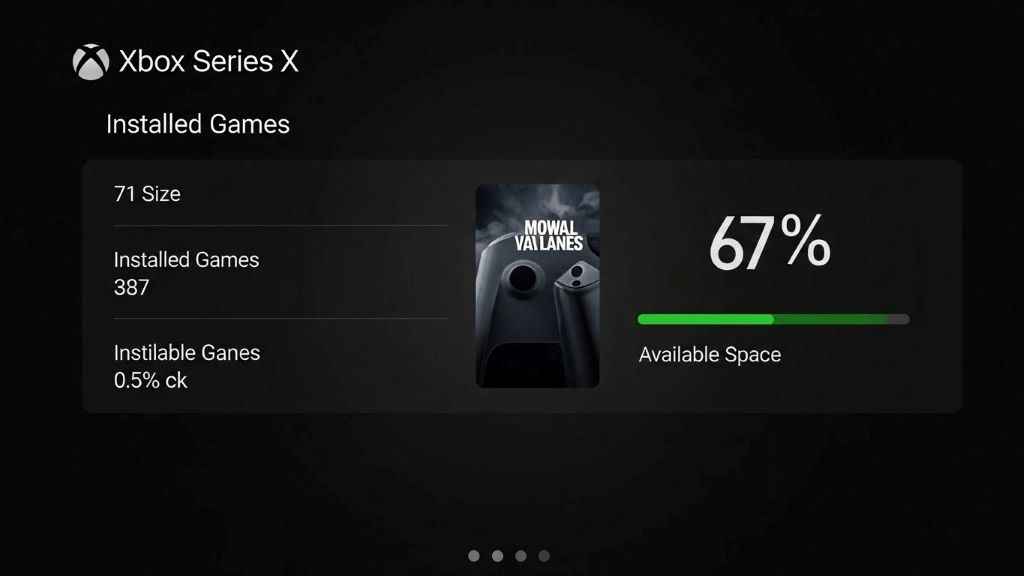
Additionally, use the Xbox’s storage management tools. Navigate to Settings, then System, and select Storage to view detailed breakdowns of space usage.
Consider Selective Installation
Many modern games offer component-based installation options. For example, you can choose to install only the campaign mode or multiplayer mode separately. This approach saves considerable space if you only play specific game modes.
Monitor Update Sizes
Game updates sometimes require temporary space equal to the entire game size. Consequently, maintain adequate free space to accommodate updates smoothly. A good rule suggests keeping at least 20 percent of your storage free.
Use Quick Resume Wisely
The Quick Resume feature keeps multiple games in a suspended state. However, this convenience consumes storage space. Limit Quick Resume to your most frequently alternated games to optimize storage usage.
Smart Download Management
Download games during off-peak hours when possible. Xbox allows scheduling downloads for specific times. Moreover, this practice ensures faster download speeds and reduces strain on your network during active gaming sessions.
Furthermore, adjust your console’s download settings. You can pause automatic updates for games you rarely play. Navigate to Settings, then System, and select Updates to customize these preferences.
Cloud Gaming Alternative
Xbox Game Pass Ultimate subscribers can access cloud gaming. This service streams games directly without installation. Therefore, cloud gaming provides an excellent option for trying games before committing storage space.
However, cloud gaming requires stable internet connections. The experience varies based on network quality. Nevertheless, it serves as a valuable tool for storage-conscious gamers.
Future-Proofing Your Storage
Game sizes continue growing with each console generation. Developers leverage improved hardware capabilities, resulting in larger file sizes. Therefore, planning for future storage needs makes sense.
Consider investing in expansion storage sooner rather than later. Prices for storage solutions typically decrease over time. However, having adequate space prevents frustrating situations where you cannot install desired games.
According to IGN’s coverage of Xbox storage solutions, planning ahead helps maximize your gaming experience.
Optimizing Storage Performance
Regularly review your installed games list. Remove games sitting untouched for months. Additionally, clear your console’s cache periodically to remove temporary files and improve performance.
Archive game captures and clips to external storage or cloud services. These media files accumulate quickly and consume valuable space. Therefore, regular maintenance keeps your console running efficiently.
Conclusion
Managing Xbox storage requires strategic planning and regular maintenance. Modern games demand substantial space, with many titles exceeding 100GB. Understanding storage requirements helps you make informed decisions about your game library.
Implement the installation tips discussed here to maximize your available space. Utilize external storage for backward compatible games, uninstall completed titles, and consider selective installation options. Additionally, cloud gaming offers a storage-free alternative for Game Pass subscribers.
Ultimately, staying proactive about storage management ensures you always have room for the latest releases. Whether you invest in expansion cards or carefully curate your game library, these practices help you enjoy your Xbox experience without storage frustrations.
Frequently Asked Questions
How much usable storage does the Xbox Series X actually have?
The Xbox Series X includes 1TB of total storage, but only approximately 802GB is available for games and apps. The remaining space is reserved for the operating system and system files. Therefore, you can install roughly six to eight large AAA games before running out of space.
Can I play Xbox Series X/S optimized games from an external hard drive?
No, Xbox Series X/S optimized games must run from the internal SSD or the official Seagate Storage Expansion Card. However, you can store these games on external USB drives and transfer them to internal storage when you want to play. This process is faster than re-downloading.
Do I need to keep games installed after completing them?
No, you can safely uninstall completed games. Your purchase license remains tied to your Xbox account. Therefore, you can reinstall any game from your library at any time without repurchasing. Your save data is also preserved through cloud saves.
How can I check which games are taking up the most storage space?
Navigate to Settings, select System, then choose Storage. This menu displays all installed games and apps sorted by size. You can easily identify space-hungry titles and uninstall them directly from this screen if needed.
Are there cheaper alternatives to the official Xbox expansion card?
For backward compatible Xbox One, Xbox 360, and original Xbox games, any USB 3.0 external hard drive works perfectly. These drives cost significantly less than the official expansion card. However, for Xbox Series X/S optimized games, the Seagate expansion card remains the only plug-and-play solution with matching performance.
Related Topics:
Best Action-Adventure Games of All Time – Ranked!
What Are the 10 Most Popular Online Games?