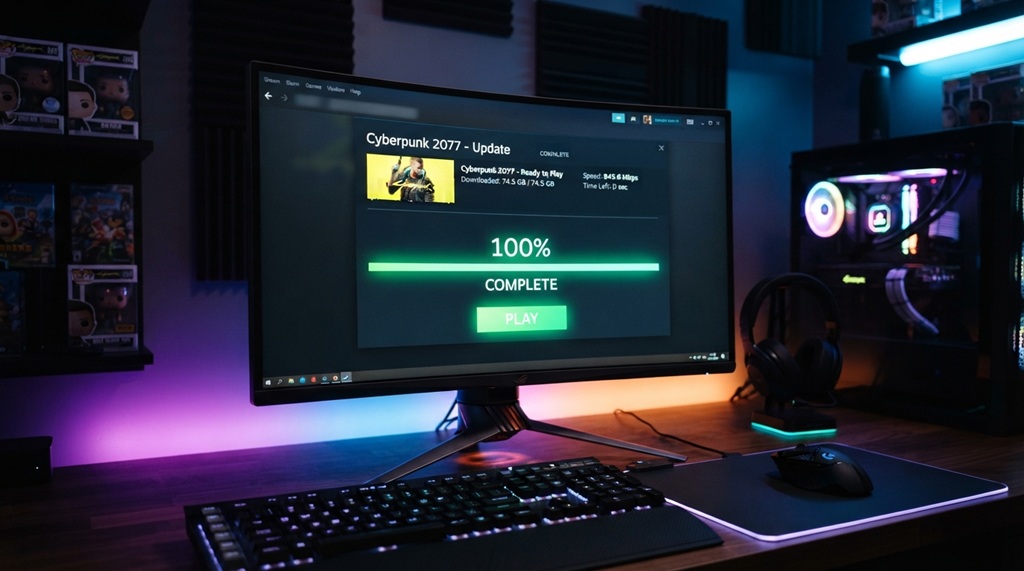
You can avoid server lag on release day by pre-loading your game early, using a wired connection, and choosing off-peak download windows. Most lag happens because millions of players hit the same servers at once. If you plan your download around that crowd, you skip the bottleneck entirely.
This guide breaks down exactly when to start your download, how to set up your network for speed, and what to do if lag hits anyway. Whether you’re prepping for a big open-world release or a competitive shooter’s launch weekend, these steps work the same way.
Why Server Lag Happens on Launch Day

Server lag happens when too many players connect to the same servers at the same time. Publishers size their servers for average demand, not for the surge that hits in the first few hours after a big release.
Think of it like a highway during rush hour. The road works fine most of the day. Then everyone leaves work at once, and traffic crawls. Game servers face the same problem, just compressed into a smaller window.
Digital storefronts also throttle download speeds during peak hours. This isn’t random. Platforms like Steam, PlayStation Network, and Xbox Live spread out bandwidth so no single download hogs the pipe. That’s smart for their infrastructure, but frustrating for you if you’re trying to install a 100GB game an hour before it unlocks.
Common Causes of Launch-Day Lag
- Millions of simultaneous downloads straining the publisher’s content delivery network (CDN)
- Authentication server overload, where login and license checks slow to a crawl
- Regional server congestion, especially in dense population centers
- Unlock-time downloads, where players who waited too long all pre-load at once
Mastering the Pre-Load Window for Seamless Launch Day Access
Unlocking a major release the exact second it goes live requires strategic timing, with the optimal window usually opening three to seven days prior once a title officially goes “gold.” By monitoring official store pages across Steam, PlayStation, or Xbox alongside developer social channels, you can initiate your download the moment servers activate rather than competing with millions of simultaneous users on launch eve. However, securing base game files early only solves half the equation—launch day zero-byte updates and day-one patches can still stall your entry if unmonitored. To ensure your system stays fully prepared before pressing play, learn to track game patch notes before everyone else and eliminate last-minute update bottlenecks.
How Early Is Too Early?
You can’t really pre-load too early, but storage space matters. Modern AAA titles often exceed 100GB. If you pre-load a month in advance, you might tie up drive space you need for other games.
A good rule: pre-load the moment it’s offered, then check back for any day-one patches closer to launch. Day-one patches can add another 10 to 40GB, so leave some breathing room on your drive.
What If Pre-Load Isn’t Available Yet?
Some publishers release pre-load access only a day or two before launch. In that case, download during off-peak hours the moment it’s live, rather than waiting for the evening rush. Early morning, right after the pre-load unlocks, usually sees far less traffic than the hours right before launch.
Optimizing Your Home Network for Faster Downloads
A wired Ethernet connection, a rebooted router, and a paused list of background devices will speed up almost any pre-load. Wi-Fi introduces packet loss and interference that Ethernet simply doesn’t have.
Switch to a Wired Connection
Plugging your console or PC directly into your router with an Ethernet cable removes the instability that wireless signals introduce. Even a strong Wi-Fi signal loses some data packets, which forces re-transmission and slows your download. A cable skips that problem entirely.
Free Up Bandwidth Across Your Household
Every device on your network competes for bandwidth. Streaming services, smart TVs, video calls, and other people’s downloads all eat into your available speed.
- Pause cloud backups and auto-updates on other devices
- Ask household members to hold off on 4K streaming during your download window
- Close background apps that sync data, like cloud storage clients
Check Your Router and DNS Settings
Restart your router before starting a large download. A fresh restart clears temporary connection issues and resets your router’s memory. You can also try switching your DNS server to a faster public option, such as Cloudflare’s 1.1.1.1 or Google’s 8.8.8.8. Faster DNS resolution can shave real time off connection setup, especially during high-traffic launch windows.
Choosing the Best Time to Download
Downloading during off-peak hours, like early morning or midweek, avoids the traffic spikes that slow everyone else down. Most gamers download in the evening after work or school, which creates predictable congestion.
If your schedule allows it, start large pre-loads in the morning or during a weekday afternoon. Servers see far less traffic during these windows compared to Friday and Saturday nights.
Time zones matter too. If a game launches globally, servers often see the heaviest load when North America, Europe, and parts of Asia are all awake and downloading at once. Downloading a day or two before that overlap window reduces your risk significantly.
Platform-Specific Tips for Steam, PlayStation, and Xbox

Each platform has settings that can speed up your pre-load, from bandwidth limits to regional download servers.
Steam
Steam lets you set a bandwidth limit and choose a download region manually. Go to Settings, then Downloads, and try switching your download region to a nearby server with less traffic. Sometimes a neighboring country’s server responds faster than your default regional one.
PlayStation Network
PlayStation consoles allow background downloads, so you can queue a pre-load and let your console handle it while you’re not using it. Keep your console in rest mode with “stay connected to the internet” enabled, so downloads continue even when the screen is off.
Xbox
Xbox’s “Instant-On” and background download features work similarly. You can also adjust your Xbox’s bandwidth allocation in Network Settings, giving downloads more priority over other network traffic on the console itself.
What to Do If Lag Still Happens on Launch Day
If lag hits anyway, wait it out for the first hour rather than repeatedly restarting your game or router. Most launch-day congestion clears up within the first few hours as the initial surge of players spreads out.
Constantly restarting your connection or the game client can actually make things worse, since it forces you back into the login queue. Instead, try these steps in order:
- Confirm the issue is server-side by checking the publisher’s official status page or social media account
- Wait 30 to 60 minutes before trying again, since most server strain peaks right at unlock time
- Try connecting during a less popular time of day, like late night or early morning, if the game supports offline or single-player modes in the meantime
- Avoid downloading unofficial “fixes” or third-party tools that claim to bypass server queues, since these often carry malware risks
Frequently Asked Questions
How early can I pre-load a game before it launches?
Most publishers open pre-loads 3 to 7 days before release, though this varies by title and platform. Check the store page for the exact date, since some competitive or live-service games open pre-loads even earlier.
Does pre-loading a game let me play it early?
No. Pre-loading only downloads and installs the files onto your device. The game itself stays locked until the official unlock time, when a final authentication check and any last-minute files complete the process.
Will a day-one patch undo my pre-load progress?
No, but it will add extra download time right before launch. Day-one patches download on top of your pre-loaded files, so leave some time on launch day for that final update to finish.
Why does my download speed drop right when the game unlocks?
Millions of players are downloading the day-one patch and connecting to authentication servers at the same moment. This creates a temporary bottleneck that usually clears within the first hour or two after launch.
Does a VPN help avoid server lag during pre-loads?
It can help in some cases, since connecting to a less congested regional server may route around local bottlenecks. That said, VPNs also add their own latency, so results vary depending on the game, your provider, and the server you choose.
Conclusion
Avoiding server lag on launch day comes down to timing and preparation. Pre-load as soon as it’s available, use a wired connection, clear bandwidth-hogging devices from your network, and download during off-peak hours whenever possible. If lag still hits on release day, patience beats panic. The surge always settles down within the first hour or two.
Plan ahead, and you’ll be playing while everyone else is still stuck watching a loading bar.